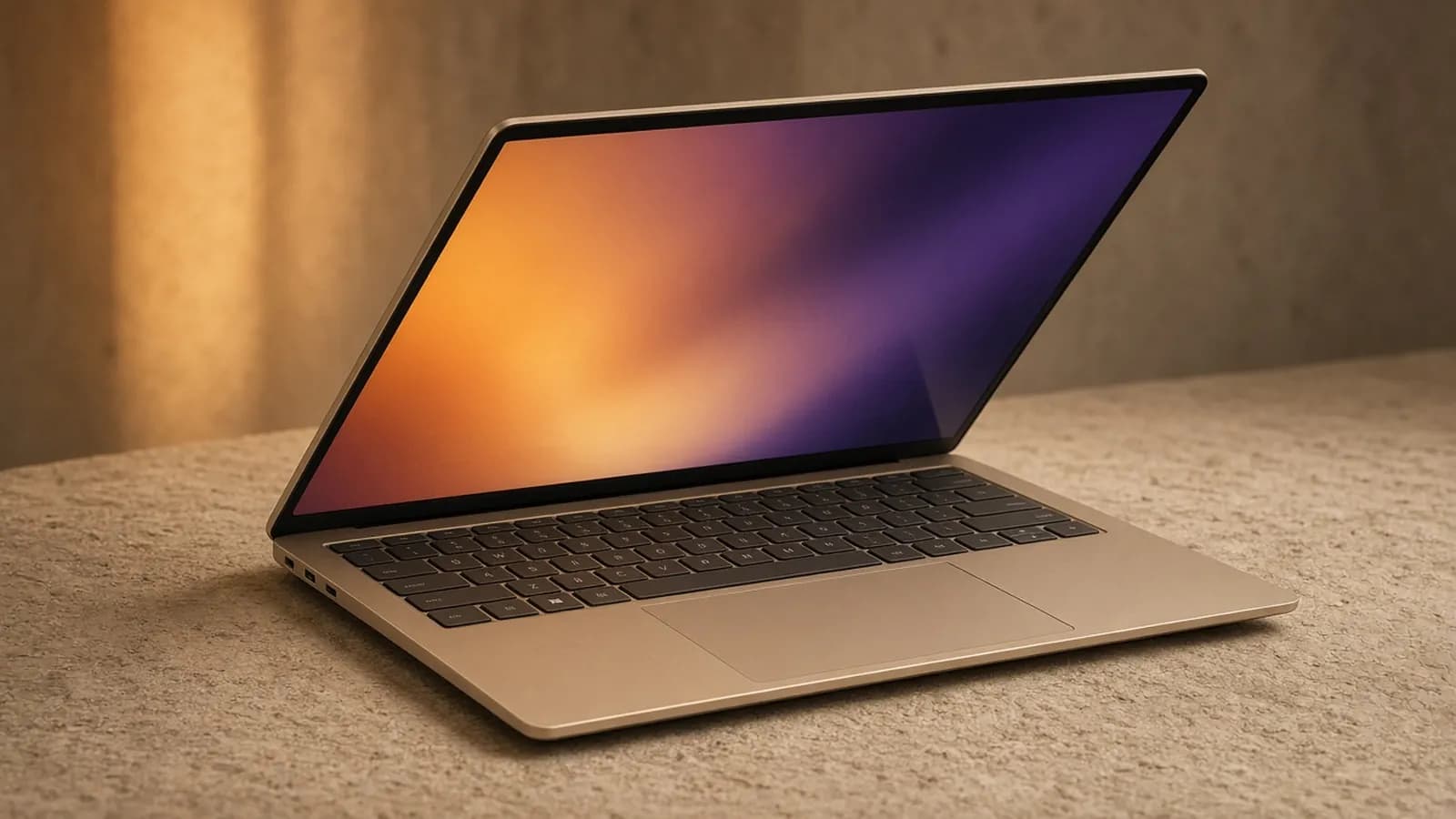
Big-screen laptops usually ask you to accept a trade: more display, more weight, and a charger that turns every bag into a gym session. The Asus Zenbook A16 tries to break that pattern with a 16-inch OLED body that weighs as little as 2.65 pounds, according to Asus.
Inside is Qualcomm's Snapdragon X2 Elite Extreme, the fastest Windows-on-Arm chip available this year, paired in the main US model with 48GB of on-package memory and a 1TB SSD. Asus launched it on April 7, 2026, after previewing it at CES in January.
BusiBeee did not test a unit in-house. This review brings together Asus's published specs and the measured results from outlets including The Verge, PCMag, Tom's Hardware, Tom's Guide, Wired, Windows Central, Trusted Reviews, and Thurrott. The consensus is strongly positive, but not unanimous, and the disagreements are worth understanding before you spend $1,700 or more.
Design and build
The A16 is wrapped in Ceraluminum, an aluminum-based material with a ceramic-like satin finish that Asus uses across its premium Zenbooks. It comes in a single color for this configuration, Zabriskie Beige, and reviewers were split on it: The Verge called it "peak beige" with a cozy feel, while Wired's headline told readers to "ignore the beige."
Asus lists the chassis at 13.92 x 9.54 x 0.54-0.65 inches. The non-touch model weighs 2.65 pounds and the touch model 2.87 pounds, which Thurrott pointed out is lighter than the roughly 3.3-pound 15-inch MacBook Air.
The trade-off for that weight is a slightly less dense feel. Thurrott said the material may strike some buyers as plasticky and noted some flex in the thin lid, while Wired described a generally cheap feel. PCMag, on the other hand, called the build luxurious and durable, so this one comes down to personal taste.
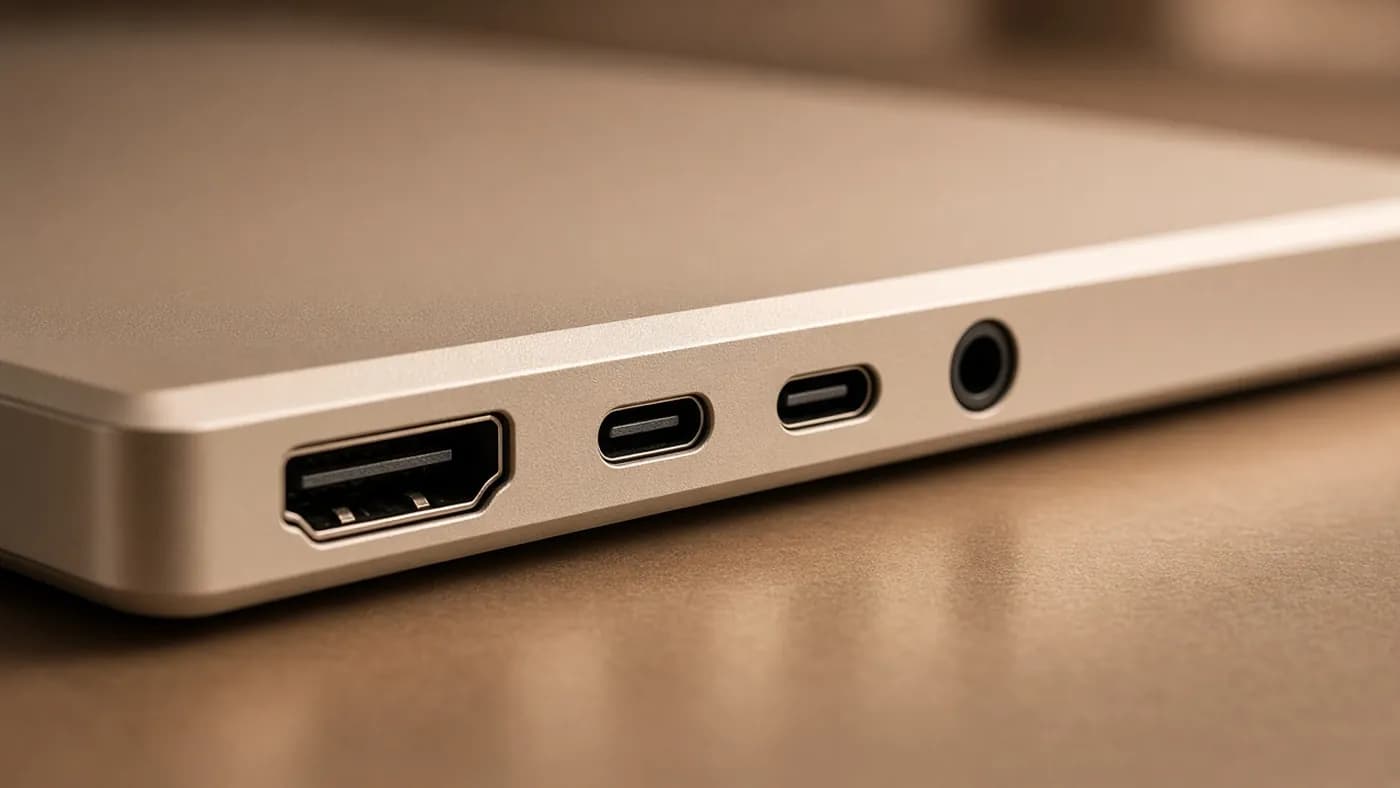
Ports are a genuine strength. You get two 40Gbps USB4 ports with charging and DisplayPort output, a 10Gbps USB-A port, full-size HDMI 2.1, a 3.5mm jack, and an SD 4.0 card reader. Asus says the laptop can drive up to four displays.
The one layout complaint, from Thurrott, is that both USB-C ports sit on the left side. Serviceability is decent: five Torx screws release the bottom panel, and the M.2 SSD and battery are replaceable.
Display
The 16-inch 16:10 OLED runs at 2880 x 1800 with a 120Hz variable refresh rate. Asus rates it at 500 nits for standard content and 1,100 nits peak for HDR, with 100 percent DCI-P3 coverage and DisplayHDR True Black 1000 certification.
Almost every reviewer rated the panel a highlight. PCMag called it stunning, and The Verge described it as fantastic-looking.
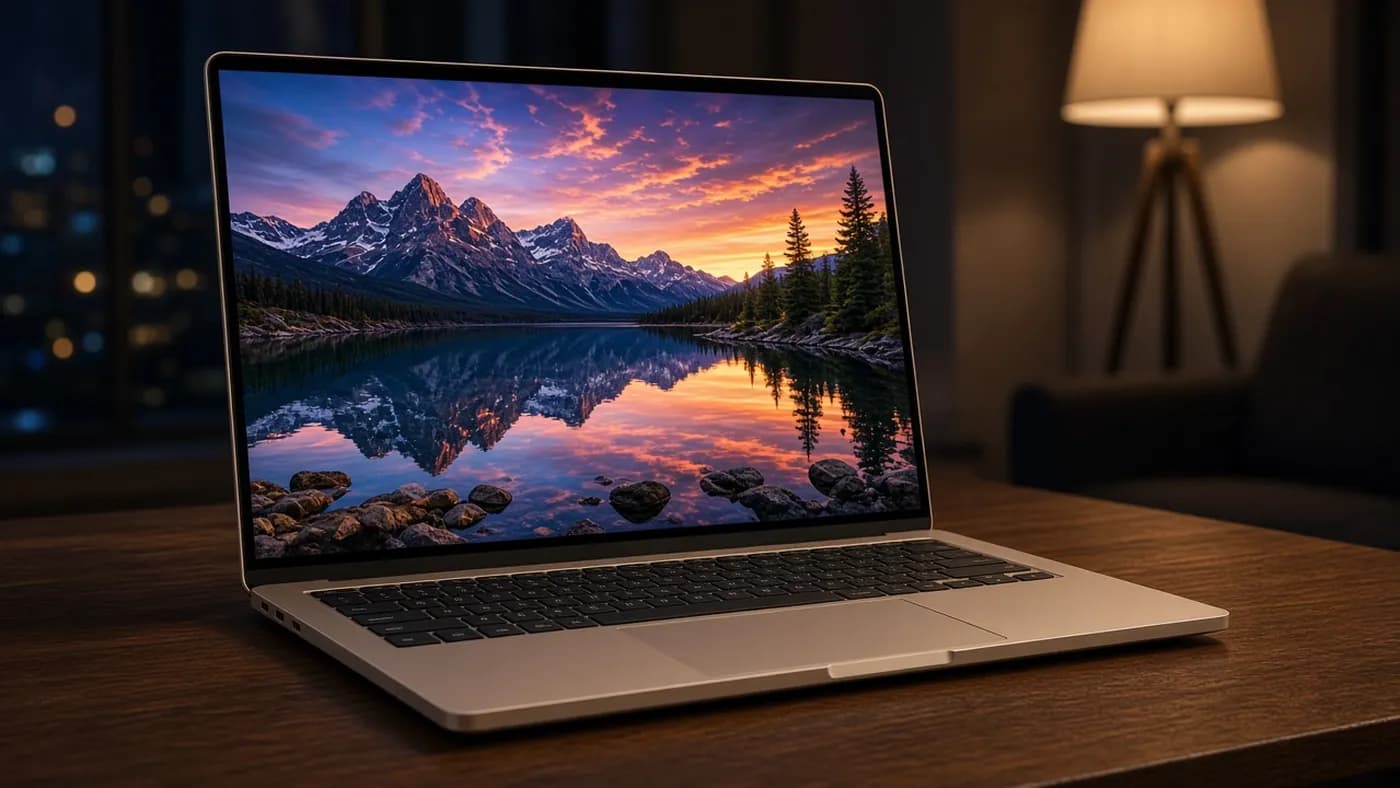
The screen is glossy, which Wired and others flagged as a downside in bright rooms. Asus sells both touch and non-touch versions of the panel in some markets; the non-touch model is lighter, and it is the version Thurrott said he would choose.
Performance
The Snapdragon X2 Elite Extreme X2E-94-100 is an 18-core chip with an Adreno X2-90 GPU and an 80 TOPS Hexagon NPU. Its big architectural change is memory: the 48GB of LPDDR5X-9600 sits on the processor package, and Thurrott reports memory bandwidth of 228GB/s, versus 152GB/s for the standard X2 Elite.
The benchmarks back it up. In Tom's Hardware's Geekbench 6 testing, the A16 scored 3,807 single-core and 22,733 multi-core, the top multi-core result in that comparison and well ahead of the HP OmniBook Ultra 14's 20,075.
The Verge ran a broader suite including Cinebench 2026, Puget Bench, and Blender. It found that the 15-inch MacBook Air M5 still wins most head-to-heads, but the Zenbook leads in multi-threaded CPU work and comes close to the Mac in the CPU-heavy Puget Photoshop test.
Wired saw Geekbench results 50 to 100 percent faster than competing AMD and Intel systems, and even ahead of Apple's M4 Pro MacBook Pro, though the Mac edged it out in Cinebench.
Key takeaway: for multi-threaded work like code compiles, exports, and large spreadsheets, the Zenbook A16 is the fastest Windows-on-Arm laptop reviewers have tested this year.
Gaming and compatibility
Gaming remains the weak spot. Windows Central tested five games and found that native Arm titles such as World of Warcraft and Minecraft ran well, while Cyberpunk 2077 and Counter-Strike 2 performed poorly through emulation.
Thurrott could not get Call of Duty: Vanguard to run at all, and Doom: The Dark Ages crashed on launch. For everyday productivity, creative, and developer apps, however, reviewers reported few problems, and Windows Central argued that Microsoft's Prism emulator handles most x86 software comfortably on this chip.
Keyboard, touchpad, and audio
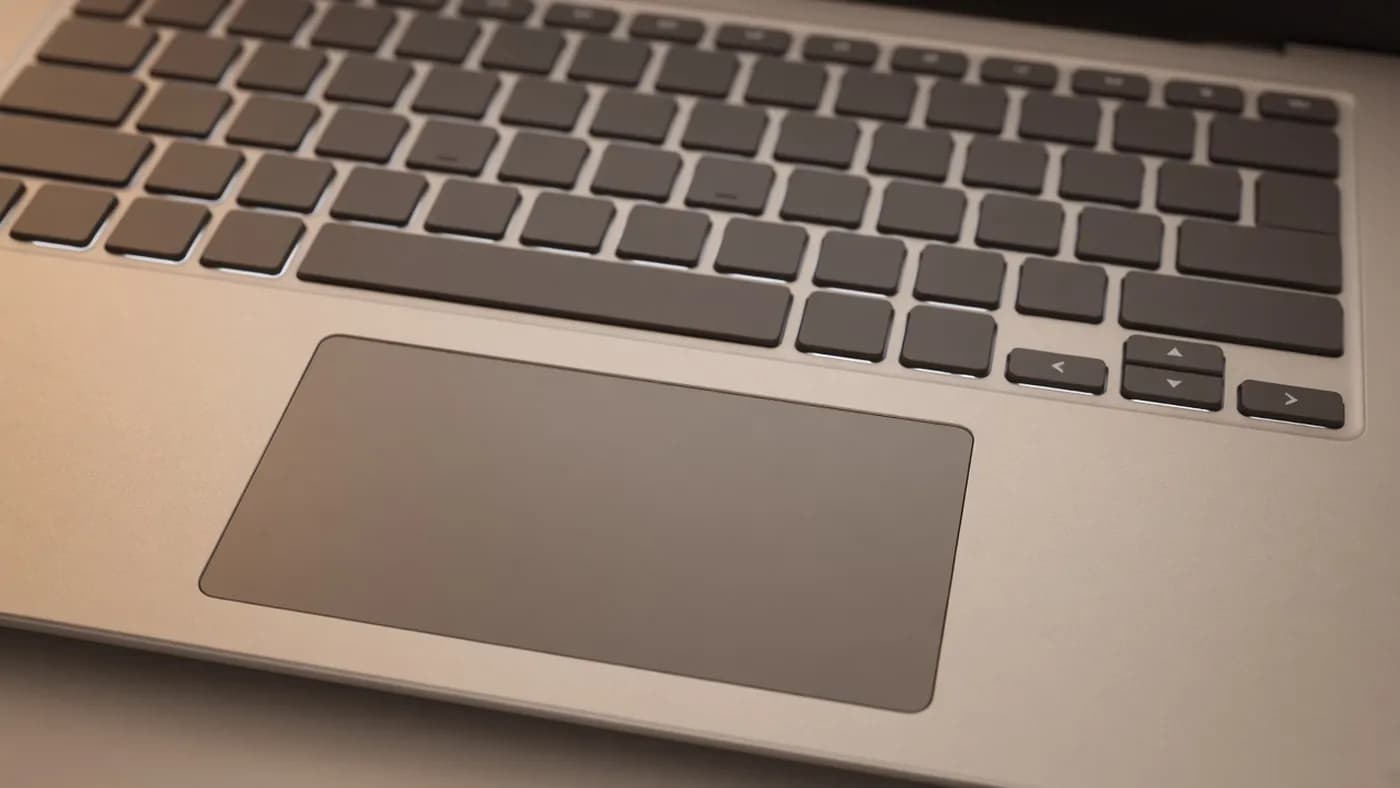
The backlit keyboard has 1.33mm of travel. Thurrott called it terrific after a month of heavy typing, while Wired called it very weak, so hands-on impressions clearly differ.
The touchpad draws more consistent criticism. It is very large, and PCMag, Wired, and Thurrott all reported problems with it. Thurrott experienced the cursor jumping and text getting selected while typing until he lowered the touchpad sensitivity.
Asus fits six speakers with Dolby Atmos. Thurrott found them loud and immersive on a hard surface, but Tom's Guide listed small speakers among the laptop's weaknesses.
The 1080p IR webcam supports Windows Hello face sign-in and Windows Studio Effects. There is no fingerprint reader, but a function-row key electronically disables the camera.
Battery and charging
This is where reviews diverge most. The A16 has a 70Wh battery, and Asus claims more than 21 hours of offline video playback. Here is what independent outlets measured:
| Outlet | Test type | Result |
|---|---|---|
| Trusted Reviews | Video loop at 150 nits | 19 hr 17 min |
| PCMag | Local video playback at 50% brightness | 18 hr 31 min |
| Consumer Reports | Web browsing | 13 hr 15 min |
| Tom's Guide | Web surfing at 150 nits | 10 hr 34 min |
| Wired | YouTube playback at full brightness | About 9.5 hr |
Light, predictable workloads like video playback stretch it well past a workday. Heavier or brighter use drains it much faster. Tom's Guide measured an average draw of 15.6 watts during a Geekbench run, versus 8.9 watts for the smaller Zenbook A14.
Wired argued that this undercuts one of Snapdragon's long-running advantages. Thurrott saw roughly 10 hours of real-world use and still called it excellent. Our read is that most people will get a full day, but not the multi-day runtimes that earlier Snapdragon X laptops made famous.
Asus ships a 130W USB-C charger, larger than most ultraportable bricks. Thurrott found it adds about 30 percent charge every 40 minutes, and the laptop will also charge more slowly from a standard 65W adapter.
Software
The A16 ships with Windows 11 26H1 and the full Copilot+ PC feature set. Bloat is light by Windows standards, limited mostly to Adobe and Dropbox promotions.
The MyASUS app earns praise for its display presets, fan profiles, and battery care options. Thurrott found the ScreenXpert overlay annoying, though, and traced an occasional failure to wake from sleep to a MyASUS feature called Hibernation Helper.
If you buy one, these are the first settings we would change:
- Lower touchpad sensitivity in Windows Settings to reduce accidental cursor jumps.
- Disable Hibernation Helper in MyASUS if the laptop ever fails to wake when you open the lid.
- Pick a fan profile in MyASUS: Whisper for quiet work, Performance for long exports.
- Hide or uninstall ScreenXpert if its overlay gets in your way.
- Set a battery charge limit in MyASUS if the laptop spends most of its life plugged in.
How it compares
Pricing has moved around since launch. The main US configuration, with the X2E-94-100, 48GB of RAM, a 1TB SSD, and the 3K OLED touch panel, launched at $1,699.99 at Best Buy. Windows Central noted that Asus's own store listed a non-touch version at $1,999.
By late June, Thurrott reported the Asus store price of his configuration had risen to $2,199 while Best Buy still sold it for $1,699, and that Asus had added a 24GB model at the original price. Tom's Guide also noted a price increase of up to $200 shortly after its review.
| Asus Zenbook A16 | MacBook Air 15 (M5) | HP OmniBook Ultra 14 | Dell XPS 16 (2026) | |
|---|---|---|---|---|
| Starting price | $1,699.99 | $1,499 | $1,899 | $1,749 |
| Processor | Snapdragon X2 Elite Extreme | Apple M5 | Snapdragon X2 Plus / X2 Elite | Intel Core Ultra Series 3 |
| Base memory | 48GB | 16GB | 16GB | 16GB |
| Display | 16-inch 3K 120Hz OLED | 15.3-inch LCD | 14-inch OLED (3K 120Hz on Elite) | 16-inch, OLED optional |
| Tom's Guide battery test | 10 hr 34 min | 15 hr 37 min | 13 hr 27 min | 13 hr 2 min (Core Ultra X7) |
The 15-inch MacBook Air M5 is the obvious rival. Its price rose to $1,499 in Apple's June increase. It lasts much longer on battery and wins most performance tests, but it starts with a third of the memory, uses an LCD instead of OLED, and runs macOS rather than Windows.
The HP OmniBook Ultra 14 is smaller, lasts longer, and has a keyboard that reviewers praise more consistently. The Dell XPS 16 offers Intel compatibility and strong battery life, but Tom's Guide weighed its base model at 3.8 pounds, well over a pound heavier than the Zenbook.
Who should buy it
The Zenbook A16 is the right laptop for people who want a big screen without the weight, and who can use the multi-core speed and 48GB of RAM. That includes developers running containers or local AI models, photographers working in large catalogs, and anyone who keeps dozens of apps open at once.
It is less compelling if battery life is your top priority, if you play demanding Windows games, or if you depend on older x86-only software. In those cases, the MacBook Air 15 or an Intel-based 16-inch laptop is the safer choice.
Key takeaway: at $1,699.99 with 48GB of RAM, the A16 is excellent value. At $2,199, it becomes much harder to recommend over the MacBook Air 15.
FAQ
Is 48GB of RAM overkill on the Zenbook A16?
For web browsing and office work, yes. But the memory is soldered to the chip package and can never be upgraded, so the extra headroom helps with local AI models, virtual machines, and heavy creative work, and it should keep the laptop useful for years.
How long does the Zenbook A16 battery really last?
It depends on what you do. Video playback tests from PCMag and Trusted Reviews ran 18 to 19 hours. Tom's Guide's web test hit about 10.5 hours, and Wired's full-brightness streaming test ran about 9.5 hours.
Can the Zenbook A16 play games?
Lighter and native Arm games run well. Windows Central found World of Warcraft and Minecraft smooth, but demanding emulated titles like Cyberpunk 2077 struggled, and some games with anti-cheat or strict requirements will not launch at all.
Should I get the touch or non-touch version?
If you rarely touch your screen, pick non-touch where it is available. According to Asus, it is about 0.2 pounds lighter, and Thurrott preferred it. The touch model is the one most widely sold in the US at $1,699.99.
Final Verdict
The Asus Zenbook A16 delivers something no other laptop quite matches right now: a 16-inch OLED, the fastest Snapdragon chip, and 48GB of RAM in a body lighter than many 14-inch machines. For multitasking and creative work, it is outstanding.
It is not flawless. Battery life is good rather than great under load, the touchpad needs tuning, and pricing has become a moving target. If you can find it near $1,700, it is one of the best big-screen Windows laptops of 2026.
Join the conversation